SkinSight

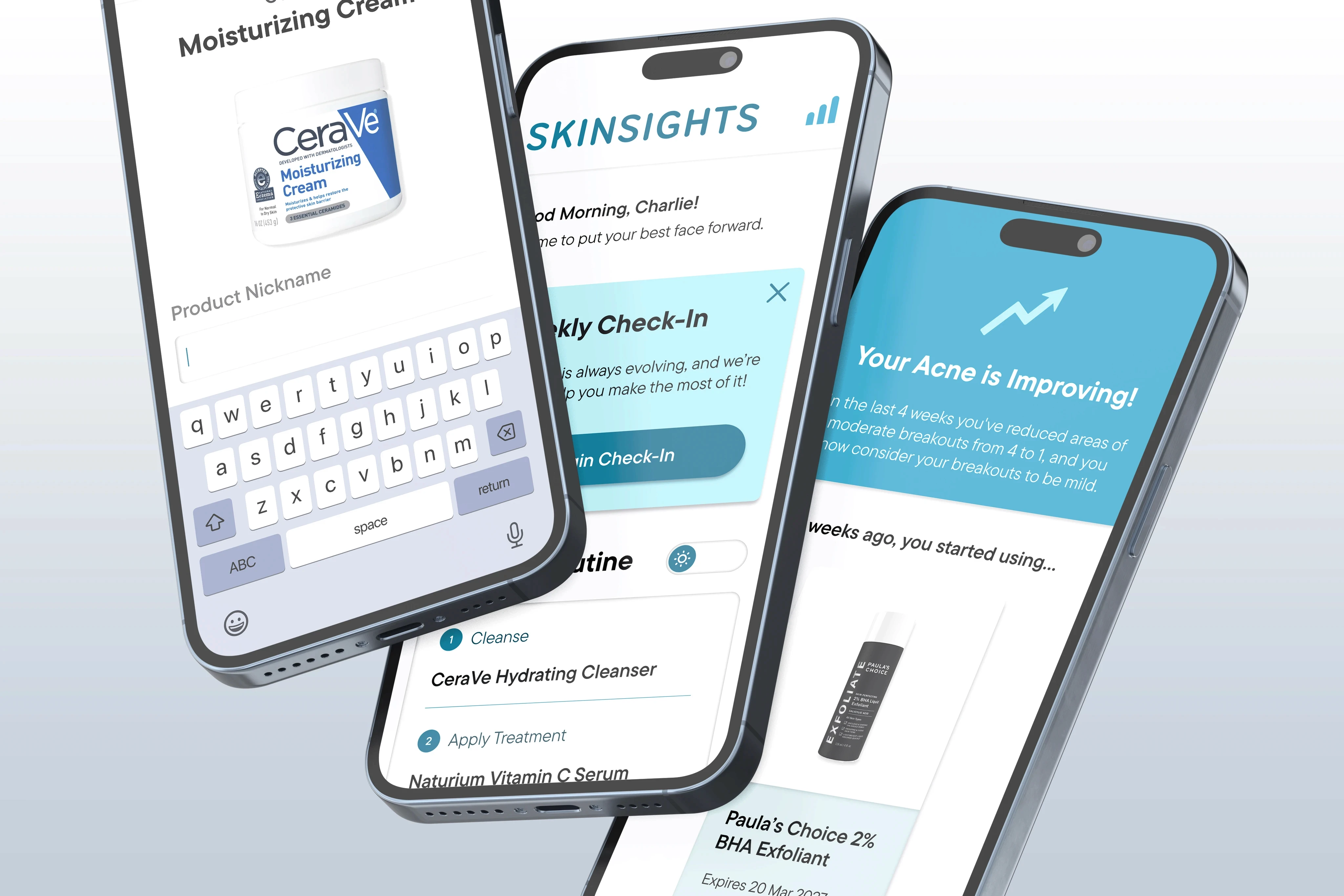
A skincare tracking app that monitors your products, expiration dates, and skin reactions to help you build an effective routine and avoid breakouts through data-driven insights.

A skincare tracking app that monitors your products, expiration dates, and skin reactions to help you build an effective routine and avoid breakouts through data-driven insights.

Project Overview

Team: Brian Yoo, Pfiefer Hill, Kai Barnum
Timeline: 7 weeks (2024)
Skills: Prototyping, Visual Design, User Research
My Role: Product Designer

Team: Brian Yoo, Pfiefer Hill, Kai Barnum
Timeline: 7 weeks (2024)
Skills: Prototyping, Visual Design, User Research
My Role: Product Designer

SkinSight is a skincare management app that tracks your products, monitors expiration dates, and logs skin reactions. Born from uncertainty about whether a replacement moisturizer was safe to use, SkinSight provides a centralized platform for organizing routines and gaining data-driven insights about what works for your skin, eliminating guesswork in your skincare journey.
The Problem: Chaotic Skincare Routine 😵‍💫

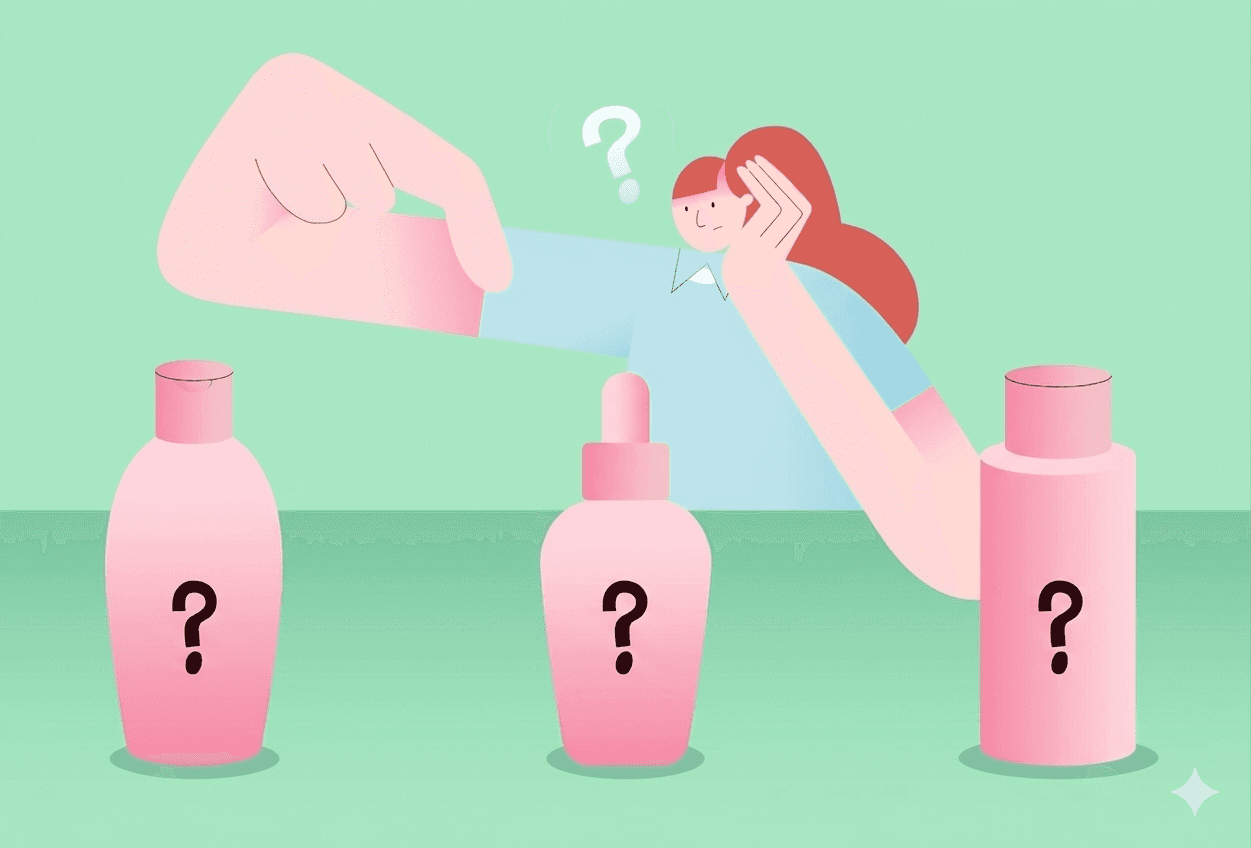
When doing my skincare routine, I encountered a recurring issue: I can't effectively track products, expiration dates, and skin reactions. With no cohesive platform for organizing routines and gaining data-driven insights, figuring out the right products, order, and frequency requires extensive personal research.
The Solution: Smart Skincare Simplified ✅

Skinsights takes the guesswork out of skincare with a smart, organized system that tracks products, monitors changes, and delivers personalized insights. By simplifying routine management and highlighting what truly works, Skinsights helps users make confident, informed decisions for healthier skin.

Onboarding Part 1


Uploading Skincare Products


Uploading Skincare Products


The first onboarding step prompts users to add their existing skincare products to a new collection. The following step dives deeper into collections, showing how each product's details are stored.

The first onboarding step prompts users to add their existing skincare products to a new collection. The following step dives deeper into collections, showing how each product's details are stored.

Onboarding Part 2


Reviewing Results


The microanimation illustrates the day-to-night routine swap. A separate step explains how data collection powers personalized insights and better results.

The microanimation illustrates the day-to-night routine swap. A separate step explains how data collection powers personalized insights and better results.

Onboarding Part 3


Initial Skin Survey

This survey establishes a baseline for the user's skincare experience, helping the app tailor routines to their level of dedication. It also collects key data points like skin type, concerns, and ingredient allergies.

This survey establishes a baseline for the user's skincare experience, helping the app tailor routines to their level of dedication. It also collects key data points like skin type, concerns, and ingredient allergies.

Navigating the Home Page


Routine and Daily Insights


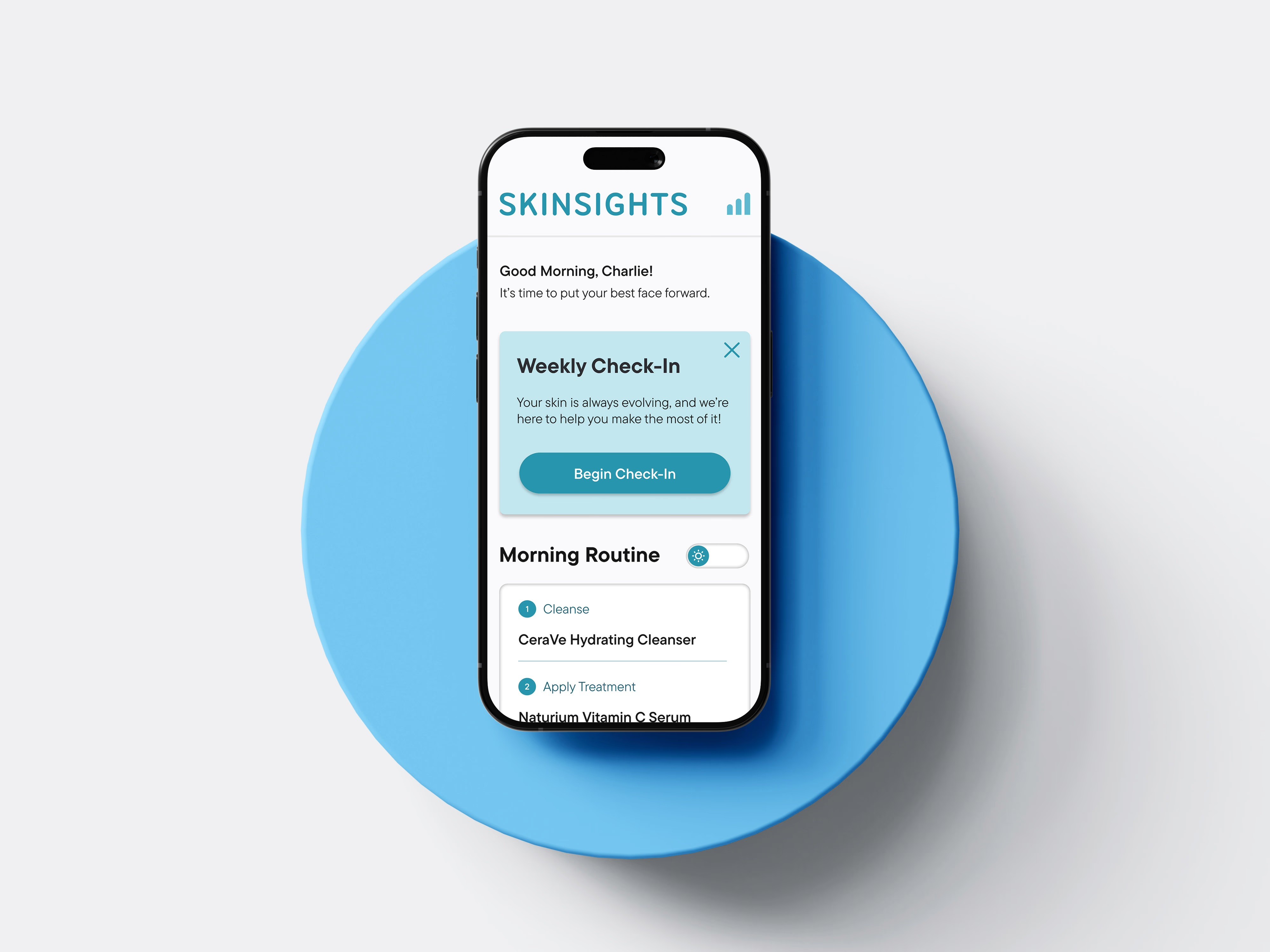
The user's routine lives front and center on the home screen, switchable between day and night mode. And for those who want to go a little deeper, a daily skincare insight is right there waiting. Totally optional, but always worth a read.

The user's routine lives front and center on the home screen, switchable between day and night mode. And for those who want to go a little deeper, a daily skincare insight is right there waiting. Totally optional, but always worth a read.

Navigating the Home Page


Reviewing Results


Reviewing Results


The product scanner lets you add new products one of two ways: scan the barcode, or point it at the ingredients list. Either way, Skinsights knows exactly what it's looking at. From there, you can read up on the product and give it a nickname that fits your routine.

Research

Secondary Research

Secondary Research

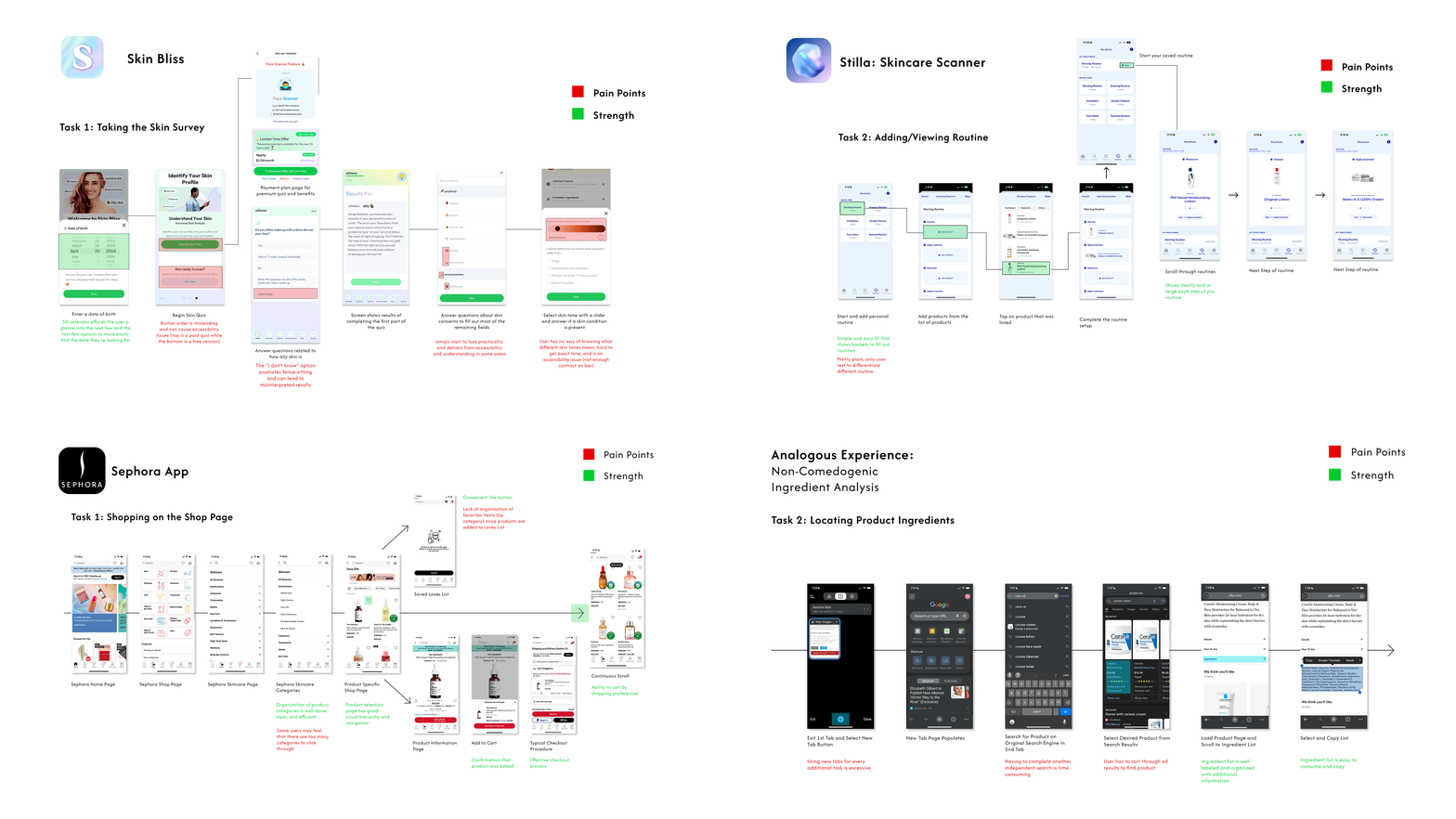
We started with secondary research on skin product management apps such as the Sephora app and Stilla. We took the apps and broke them down page by page to see what their pain points and strengths were to analyze what features are best for the goal.

We started with secondary research on skin product management apps such as the Sephora app and Stilla. We took the apps and broke them down page by page to see what their pain points and strengths were to analyze what features are best for the goal.

Interview & Questionnaire

We sent out 100 online questionnaires and received 96 responses.

✦ 80% of participants reported experiencing difficulty tracking their skincare products and routines.


✦ 50% of participants did not have an established routine and were unsure how to keep track of their products/identify right ones for their needs.


✦ Some participants expressed concerns about monitoring expiration dates for their product collections.

Process Experience Map

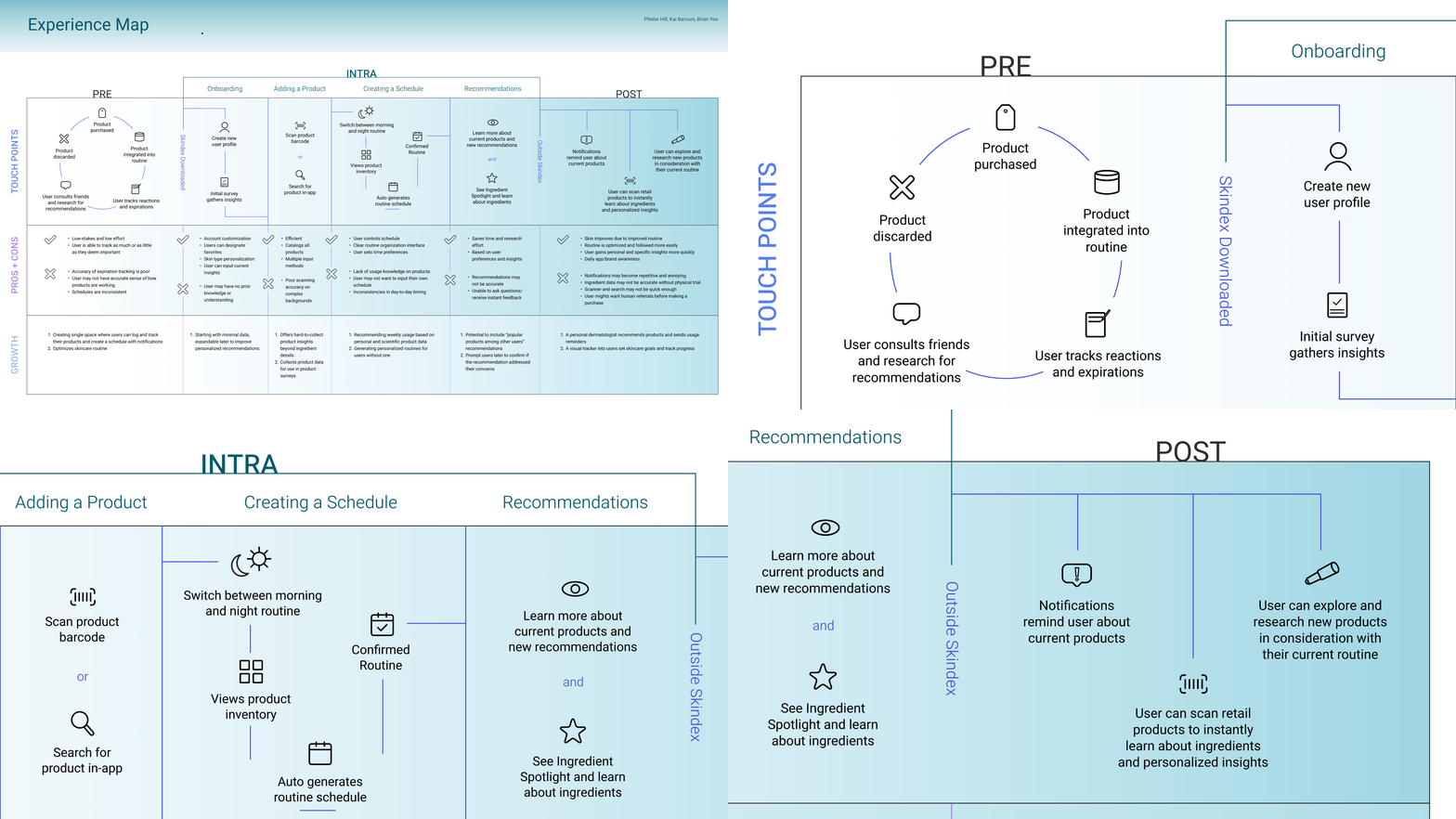
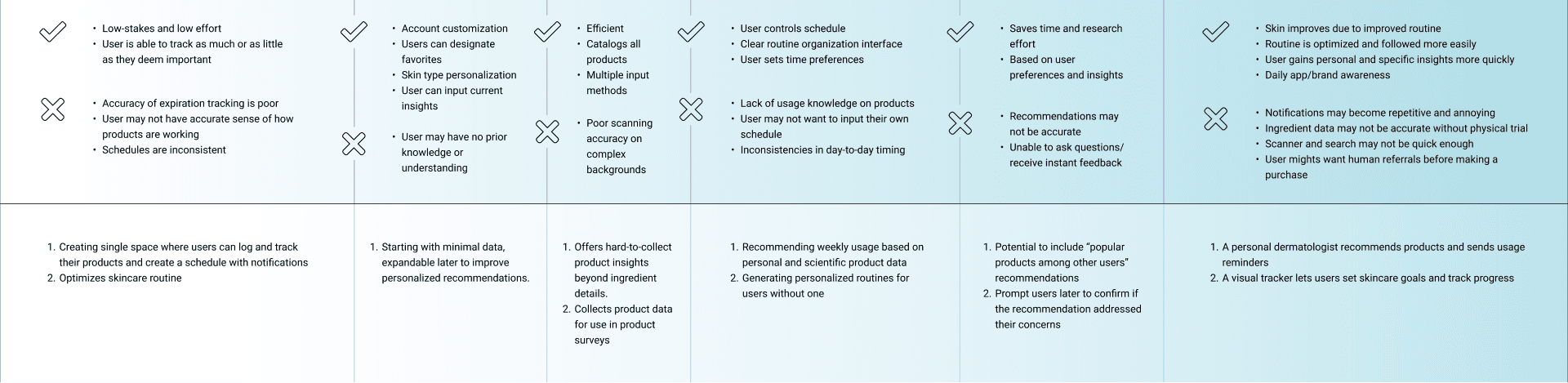
This experience map outlines the user flow for the product, covering touchpoints, pros and cons, and potential user growth from start to finish: pre-use, onboarding, adding a product to inventory, creating a schedule, getting recommendations, and finally posting their personalized routine and feedback to receive responses.
My Process

My Process

Based off of our problem statement and user research, we brainstormed and selected 3 goals for our project

  1. Simplify routine management so users always know what to use, when, and in what order.


  1. Connect user data to real, actionable insights so skincare decisions feel informed, not guesswork.


  1. Build a product tracking system that grows with the user, from beginners finding their footing to experienced users fine-tuning what works.

Moodboard Exploration

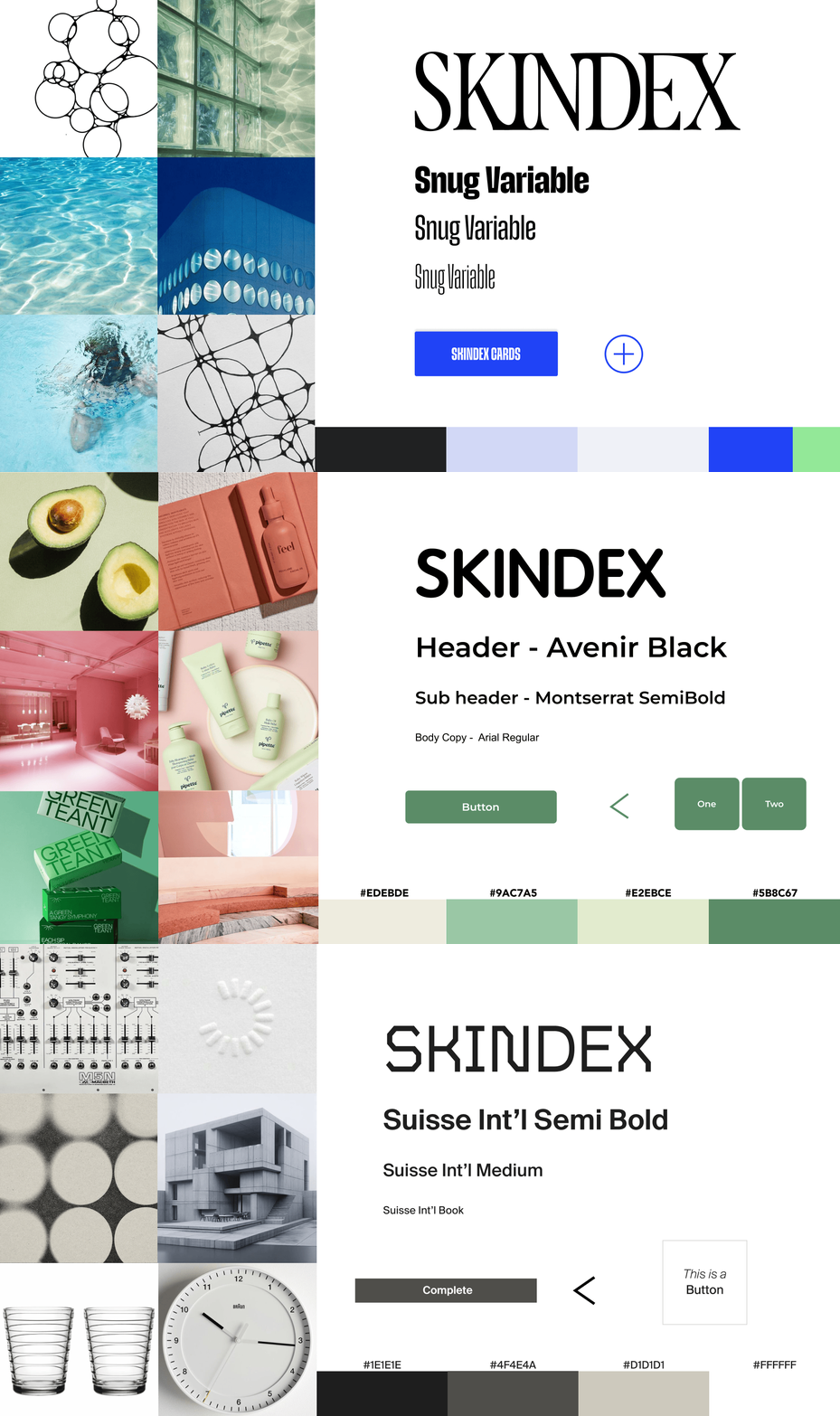
We started with three different visual directions for the final solution. We came up with these three distinct moodboard/design systems.
Problem Statement

How might we help users track their skincare routine and discover what actually works for their skin?

Design Iterations

Iteration #1

Confusing Navigation

Confusing Navigation

After user testing our initial prototype, the first pain point we found was that the app felt scattered and lacked a clear direction for users.

After user testing our initial prototype, the first pain point we found was that the app felt scattered and lacked a clear direction for users.

First Version ❌

No clear visual hierarchy, and the featured pages contain very basic information that doesn't inform users how each feature relates to the others.

Final Version ✅

Clear design hierarchy, icons make it easy for users to navigate, and each section is clearly divided to show users that it's a different feature.

Final Version ✅

Clear design hierarchy, icons make it easy for users to navigate, and each section is clearly divided to show users that it's a different feature.

Final Version ✅

Clear design hierarchy, icons make it easy for users to navigate, and each section is clearly divided to show users that it's a different feature.

Iteration #2

Users didn’t see how their data led to insights

Users found it unclear how their surveys and data connected to any outcomes.

First Version ❌

The check-in itself was confusing because users didn't know what it was for. The insights generated afterward also didn't correlate with their survey responses.

Final Version ✅

Clear design hierarchy, icons make it easy for users to navigate, and each section is clearly divided to show users that it's a different feature.

Final Version ✅

The final version integrated the scan button into the collection page, making the experience more intuitive, the library easier to navigate, and product details more informative.

Final Version ✅

Clear design hierarchy, icons make it easy for users to navigate, and each section is clearly divided to show users that it's a different feature.

Iteration #3

The collection and scan features felt disconnected

Users struggled with the collection page and scan button being separated in the navigation bar, making it feel disjointed and purposeless.

First Version ❌

No clear visual hierarchy, and the featured pages contain very basic information that doesn't inform users how each feature relates to the others.

Final Version ✅

Clear design hierarchy, icons make it easy for users to navigate, and each section is clearly divided to show users that it's a different feature.

Final Version ✅

Clear design hierarchy, icons make it easy for users to navigate, and each section is clearly divided to show users that it's a different feature.

Final Version ✅

Clear design hierarchy, icons make it easy for users to navigate, and each section is clearly divided to show users that it's a different feature.

Iteration #2

Users didn’t see how their data led to insights

Users found it unclear how their surveys and data connected to any outcomes.

First Version ❌

The check-in itself was confusing because users didn't know what it was for. The insights generated afterward also didn't correlate with their survey responses.

Final Version ✅

The final version clearly connects survey data to the daily insight feature, which tracks skincare progress, recommends products, and highlights effective ingredients.

Iteration #3

The collection and scan features felt disconnected

Users struggled with the collection page and scan button being separated in the navigation bar, making it feel disjointed and purposeless.

First Version ❌

The first version had the collection page and scan button completely disconnected, with scanned product details that were sparse and unhelpful.

Final Version ✅

The final version integrated the scan button into the collection page, making the experience more intuitive, the library easier to navigate, and product details more informative.

Design sytstem


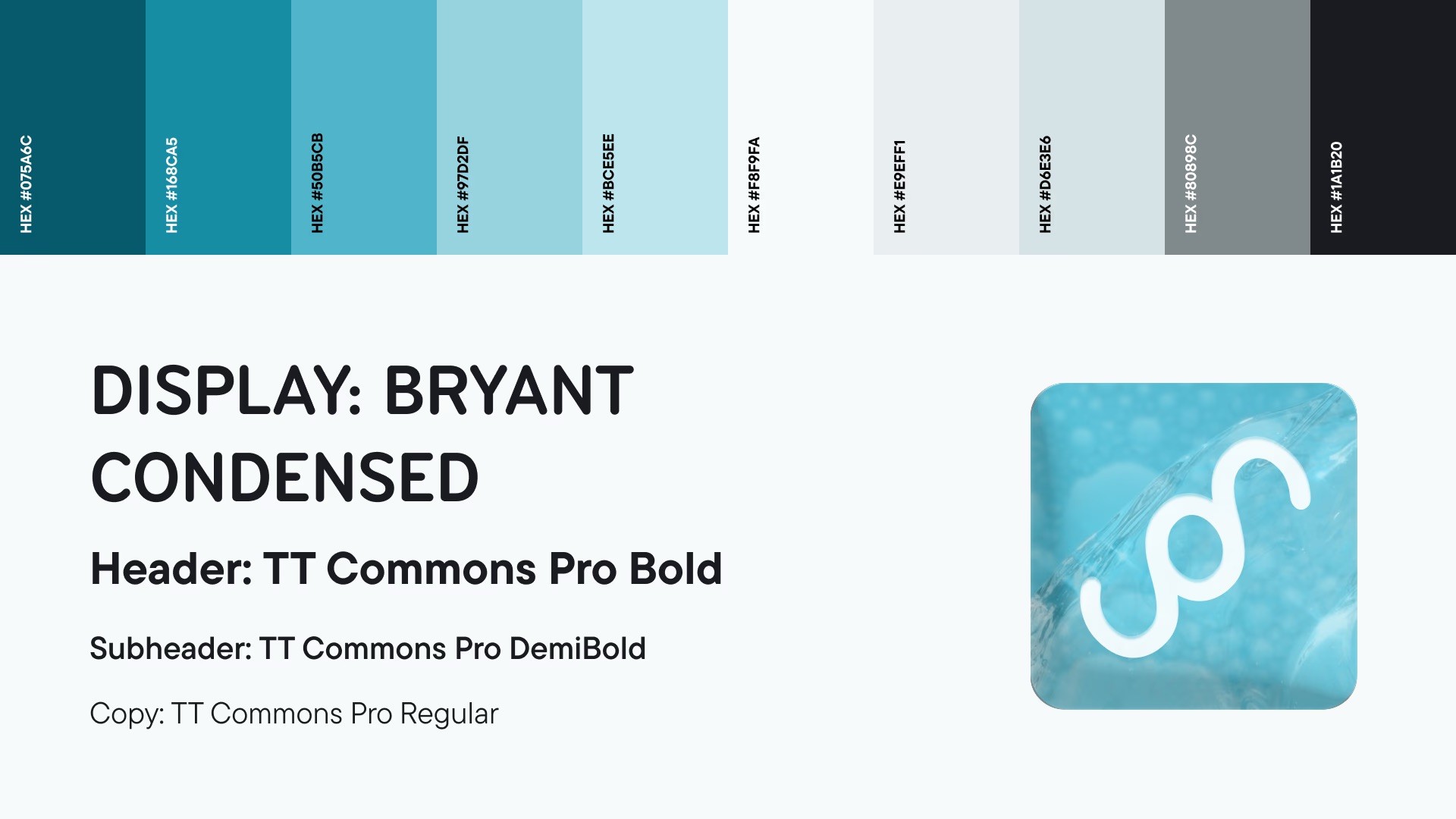
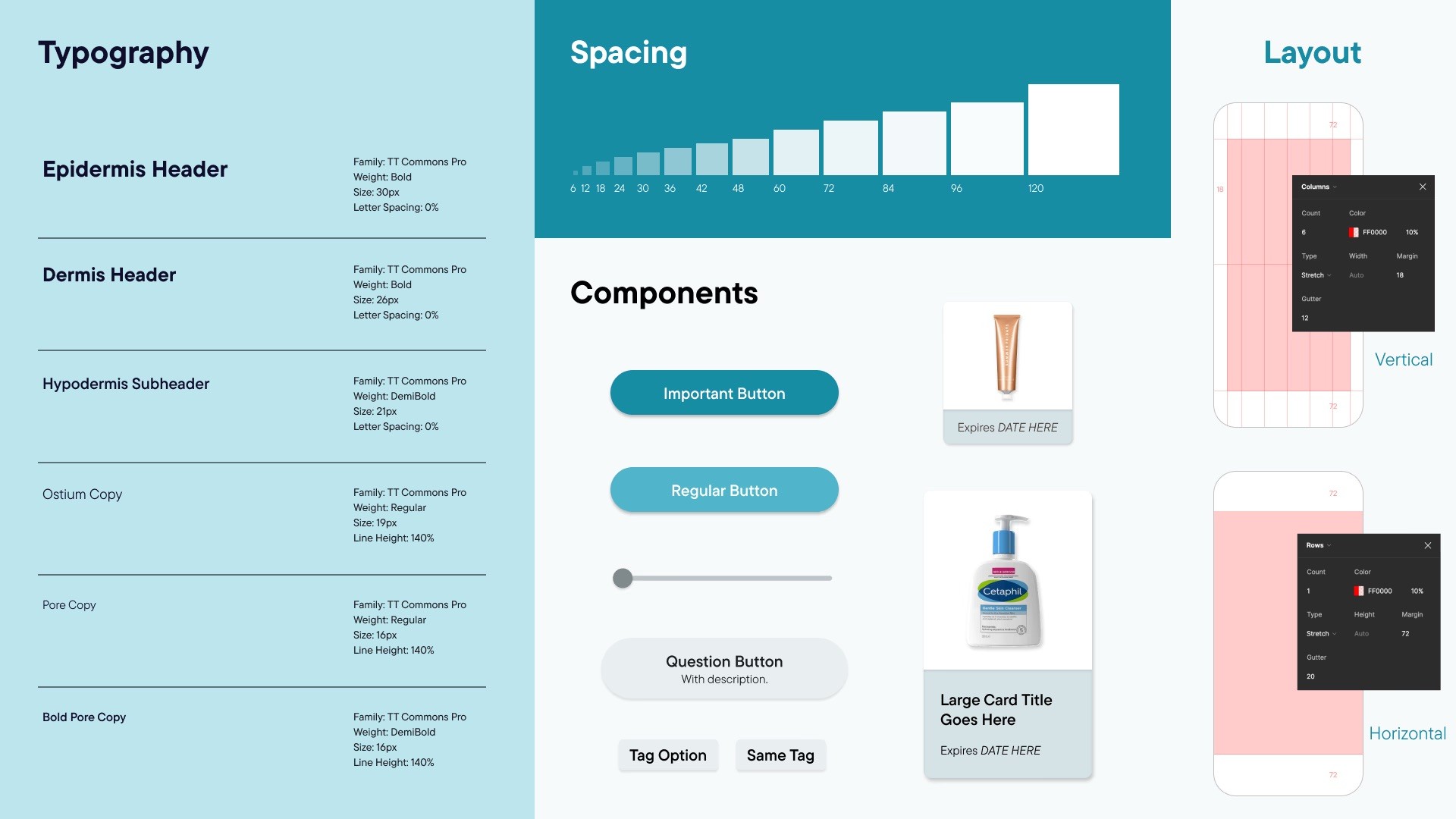
We applied a consistent design system throughout the application, including a typography hierarchy, spacing rules, components, colors, and grids.
Reflection


This project taught me how to turn a personal frustration into a thoughtful product experience. Designing around the problem of scattered skincare routines pushed me to prioritize clarity at every step, ensuring users could always understand how their data connected to real, actionable insights.


Working in a team of three over seven weeks also reinforced how important user testing is to the design process. Each iteration was directly shaped by feedback, whether it was untangling a confusing navigation structure or bridging the disconnect between the collection and scan features. That cycle of testing, identifying friction, and refining kept our decisions grounded in real user needs rather than assumptions.


Reflection


This project taught me how to turn a personal frustration into a thoughtful product experience. Designing around the problem of scattered skincare routines pushed me to prioritize clarity at every step, ensuring users could always understand how their data connected to real, actionable insights.


Working in a team of three over seven weeks also reinforced how important user testing is to the design process. Each iteration was directly shaped by feedback, whether it was untangling a confusing navigation structure or bridging the disconnect between the collection and scan features. That cycle of testing, identifying friction, and refining kept our decisions grounded in real user needs rather than assumptions.


5000 To 1 →
©

2026